Transcribe the Spanish audio into Spanish text first, translate that transcript into English, then check names, numbers and slang against the recording. Export as an .srt subtitle file or an English voiceover, depending on your deliverable.
What "translate Spanish audio to English" really means
Five separate jobs hide inside one request, and picking the wrong one costs you an afternoon. Transcription writes down the Spanish you hear. Translation turns that Spanish text into English.
Subtitling times that English to the picture, and dubbing goes one step further by replacing the original voice with an English one. One-pass speech translation skips the middle stage entirely — Spanish audio goes in, English text comes out, and you never see what the model thought it heard.
OpenAI’s documentation says its default transcription model keeps speech in its original language, and names translation into English as a reason to pick a specialized model instead. That single design choice explains most of the confusion readers run into.
| Job | In → out | When you need it |
|---|---|---|
| Spanish transcription | Spanish audio → Spanish text | Quoting a source, legal records, study notes |
| Text translation | Spanish text → English text | Articles, reports, email threads |
| Speech translation | Spanish audio → English text, one pass | Fast gist of a voice memo |
| Subtitling | English text + timecodes → .srt / .vtt | Video for an English-speaking audience |
| Dubbing | English text → English voice track | Training videos, ads, explainers |
Decide the deliverable before you touch software. A pull quote for a newsletter, a subtitle file for YouTube and an English voiceover for onboarding video are three different outputs with three different budgets.
Step 1 — Prepare the Spanish audio file: format, size limits and sound quality
Time: 5 to 15 minutes. What you need: the original recording, a free audio editor such as Audacity, and headphones you trust.
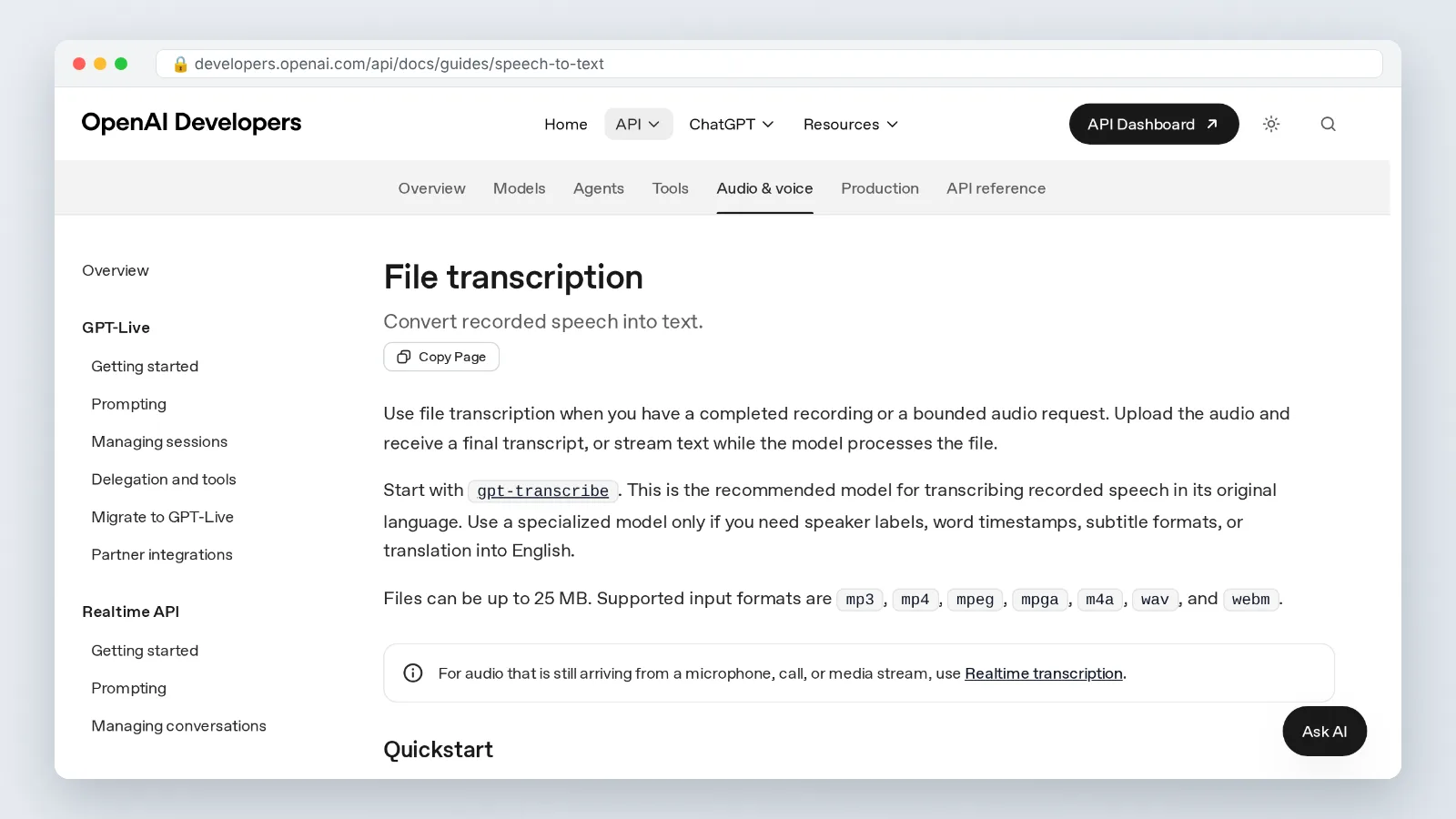
OpenAI’s speech-to-text API accepts audio files up to 25 MB, in mp3, mp4, mpeg, mpga, m4a, wav and webm formats. That cap catches people off guard with hour-long interviews recorded as WAV.
For Spanish recordings bigger than the API cap, OpenAI tells you to compress the audio or split it into chunks of 25 MB or less. Split on pauses, never mid-word, and keep a note of where each chunk starts so timecodes stay usable.
Sound quality does more for accuracy than any model swap. Strip constant hiss, cut the dead air at the head of the file, and convert stereo interviews to mono if both speakers sit on one channel.
Write down three things before transcription: how many speakers are on the tape, roughly where each one is from, and any proper nouns you already know. A speaker from Santo Domingo drops final consonants in a way a speaker from Bogotá does not, and knowing that changes how you read a shaky transcript.
Step 2 — Transcribe the audio in Spanish first (and why that beats one-click translation)
Time: 2 to 15 minutes of machine processing, plus roughly one to two minutes of review per audio minute. What you need: a speech-to-text tool and the prepared file from Step 1.
Run the recording through Spanish transcription and read the result with the audio playing. You are checking for two failure patterns: misheard proper nouns, and fluent sentences that appear during silence or crosstalk.
OpenAI reports that Whisper large-v3 cuts errors by 10% to 20% compared with large-v2 across the languages it evaluated on Common Voice 15 and Fleurs. Model choice matters, but it never removes the review pass.
Google Cloud states that its Speech-to-Text volume tiers can bring machine transcription costs down to $0.004 per minute of audio. At that price, transcribing twice with two different engines and comparing the disagreements is a cheap accuracy trick.
The Spanish transcript is also your audit trail. Six months later, when someone questions your English wording, you can point at the exact Spanish sentence instead of re-listening to a two-hour file.
Step 3 — Translate the Spanish transcript into English text
Time: 20 to 60 minutes per 10 minutes of speech, depending on how technical the content is. What you need: the corrected Spanish transcript and a glossary file.
OpenAI’s audio translation endpoint translates audio into English and currently runs on only one model, whisper-1. That endpoint is useful for a quick gist; for anything you will publish, translate the corrected transcript instead of the raw audio.
Work in chunks of a few paragraphs so the translator — human or machine — sees enough context to resolve pronouns. Spanish drops subjects constantly, and "dijo que vendría" needs surrounding sentences to tell you who is coming.
Hold three decisions steady across the whole document. Register: does *usted* become formal English phrasing or plain English? Names of institutions: translated, kept in Spanish, or both on first mention? Filler speech: cleaned up, or preserved because the transcript is evidence?
Mark anything you could not hear as [unclear 04:12] rather than guessing. An honest gap reads as professional; an invented sentence destroys trust in the whole file.
Step 4 — Check the English against the audio: names, numbers, slang and regionalisms
Time: one pass in real time, so about one minute per audio minute. What you need: headphones, the English draft, and a way to jump between timecodes.
A benchmarking study of multilingual models on Québec French, published on arXiv, found that the top FLEURS model (gpt-4o) placed 5th of 9 on spontaneous courtroom speech, while whisper-large-v3 placed 1st there but only 6th of 9 on FLEURS. Leaderboard position tells you little about how a model handles your messy recording.
Check these four categories with the audio running:
- Numbers. Spanish *mil millones* is one billion in English, and *un billón* is a trillion. Dates spoken as 5/8 usually mean 5 August.
- Names. Confirm spelling of people, towns and companies. Whisper-class models guess plausible Spanish names confidently.
- False friends. *Actualmente* means currently, *sensible* means sensitive, *carpeta* is a folder, *embarazada* means pregnant.
- Regionalisms. *Guagua* is a bus in the Caribbean and the Canaries but a baby in Chile. *Ahorita* can mean right now or later today, depending on the country. *Coger* is neutral in Spain and vulgar in much of Latin America.
When two readings are both defensible, keep the literal one in the body and put the alternative in a footnote for your editor.
Step 5 — Turn the English text into subtitles or English speech
Time: 15 to 45 minutes for subtitles, longer for voiceover. What you need: the approved English text and timecodes from your transcript.
The same OpenAI audio endpoint can return the English output directly as subtitle files, with srt and vtt among the response formats. Starting from that generated file and fixing the line breaks is faster than typing timecodes by hand.
For subtitle craft, aim for two lines maximum, break at clause boundaries, and keep lines short enough to read before the shot changes — roughly 40 characters a line works as a rule of thumb.
Live situations need a different tool. Google’s help pages describe the Google Translate app’s Transcribe feature as producing near real-time translated text while someone speaks, started by tapping Speak, then Transcribe, and Gizmodo notes that Transcribe mode is limited to eight languages, Spanish among them.
For an English voice track over video, AI Studios by DeepBrain AI is one option: a cloud platform for AI avatar videos, text-to-video content and video translations. Its pricing page lists text-to-speech voiceovers in 150+ languages and accents on paid plans and 30+ languages on the Free plan, plus voice cloning from a short recording.
The limits are worth knowing up front. AI Studios’ Personal plan includes 120 minutes of AI dubbing per month, and when included dubbing minutes run out, additional usage is deducted from generative credits; the Free plan is $0 and allows up to 3 AI videos of up to 1 minute each in 720p, which will not cover a full interview. If all you need is a subtitle file, a transcription API is less setup than any video platform.
Quality checklist before you publish or send your English version
Run this list before the file leaves your hands. Each item takes under two minutes and catches the errors reviewers actually flag.
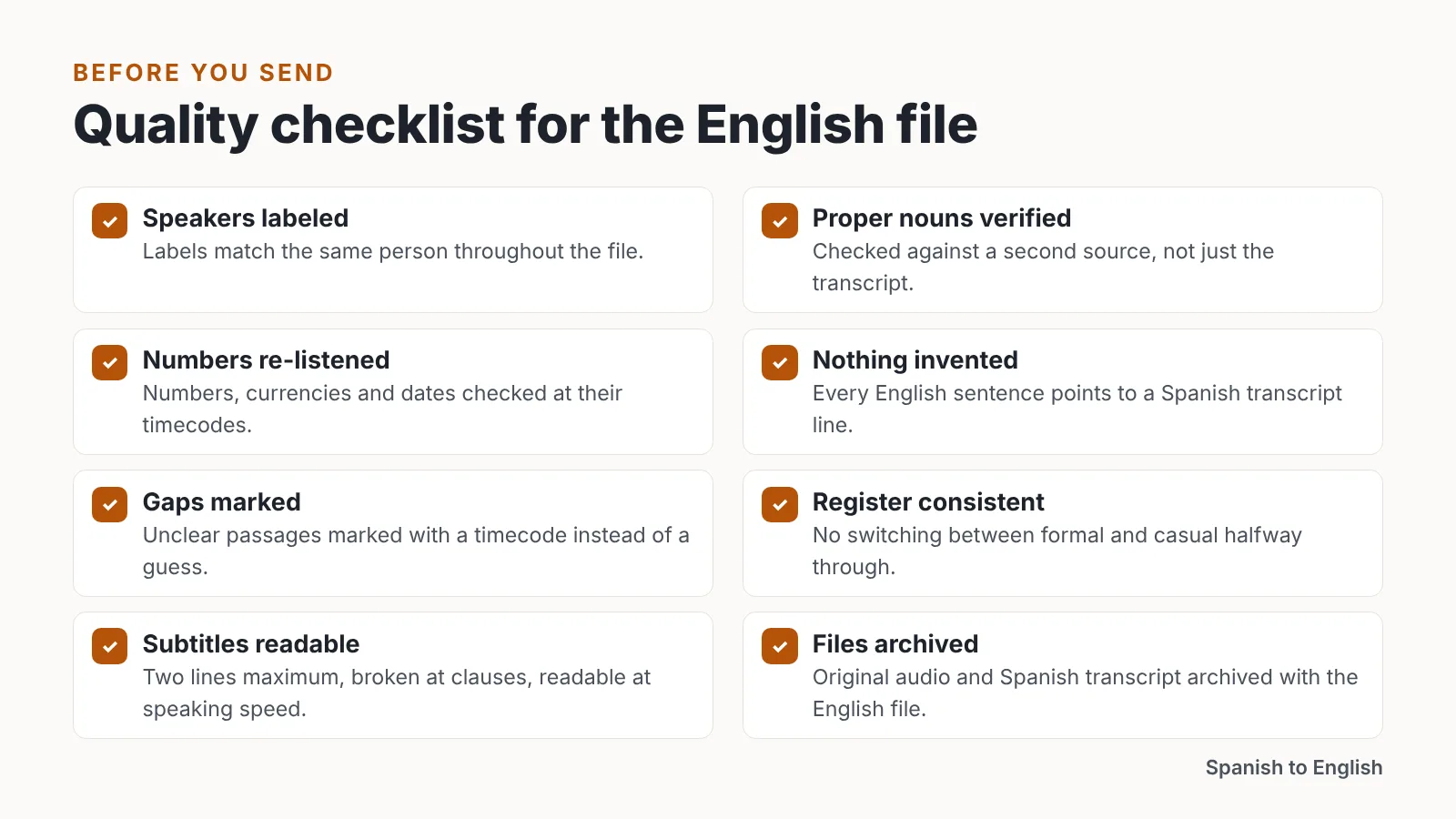
- Every speaker is labeled, and the labels match the same person throughout.
- All proper nouns verified against a second source, not just the transcript.
- Numbers, currencies and dates re-listened to at their timecodes.
- No sentence in English that you cannot point to in the Spanish transcript.
- Unclear passages marked with a timecode instead of a guess.
- Register consistent: you did not switch between formal and casual halfway through.
- Regional slang confirmed against the speaker’s country, not a generic dictionary.
- Subtitle lines under two lines each, broken at clauses, readable at speaking speed.
- File naming includes the language pair and version, so nobody sends the Spanish draft by mistake.
- The original audio and Spanish transcript are archived with the English file.
Send the Spanish transcript alongside the English whenever the recipient has any Spanish ability. It shortens review cycles and makes disagreements about wording concrete instead of speculative.
Common mistakes when translating Spanish audio to English
The failure that burns the most people: uploading a noisy recording straight to a one-pass audio translator and shipping what comes back. Speech models fill silence, echo and crosstalk with fluent, confident English that was never said. You avoid it by transcribing in Spanish first and reading that transcript with the audio playing.
Two more mistakes show up constantly. Splitting a long file at an arbitrary byte boundary chops a word in half and produces a garbled sentence at every seam — split on pauses instead. Translating *usted* and *tú* into identical flat English erases the relationship between the speakers, which matters in interviews, hearings and customer calls.
Flattening regional vocabulary is the quiet one. A Chilean speaker’s *bacán*, a Mexican speaker’s *chido* and a Spaniard’s *guay* all land near "cool," but the choice of English word signals how much attention you paid.
Last, do not over-clean. Removing every *este*, *o sea* and repetition makes a polished read and a weak record, and in legal or journalistic work the hesitation is part of the evidence.
Frequently asked questions
Can I translate Spanish audio to English in one step?
Yes. OpenAI’s audio translation endpoint translates audio into English and currently runs on only one model, whisper-1, so a single upload can return English text. Accuracy drops on noisy or multi-speaker recordings, which is why a Spanish transcript first is safer for anything you publish.
What file size and formats work for Spanish audio transcription?
OpenAI’s speech-to-text API accepts audio files up to 25 MB, in mp3, mp4, mpeg, mpga, m4a, wav and webm formats. For longer Spanish recordings, OpenAI tells you to compress the audio or split it into chunks of 25 MB or less, ideally at natural pauses.
How much does machine transcription of Spanish audio cost?
Google Cloud reports that its Speech-to-Text volume tiers can bring machine transcription costs down to $0.004 per minute of audio. At that rate, running the same Spanish file through two engines and comparing where they disagree is an affordable accuracy check before translation.
Is the highest-ranked model always the most accurate on my recording?
No. A benchmarking study of multilingual models on Québec French, published on arXiv, found the top FLEURS model (gpt-4o) placed 5th of 9 on spontaneous courtroom speech, while whisper-large-v3 placed 1st there but only 6th of 9 on FLEURS. Test on your own audio.
How do I get English subtitles or an English voice from the translation?
OpenAI’s audio endpoint can return English output directly as subtitle files, with srt and vtt among the response formats. For spoken English over video, AI Studios lists text-to-speech voiceovers in 150+ languages and accents on paid plans and 30+ languages on its Free plan.
Sources
- File transcription | OpenAI API
- Audio | OpenAI API Reference
- `large-v3` release · openai/whisper · Discussion #1762 (GitHub)
- Benchmarking Large Pretrained Multilingual Models on Québec French (arXiv)
- Google Cloud Speech-to-Text V2 API | Google Cloud Blog
- Transcribe in Google Translate – Android – Google Translate Help
- How to Use Google Translate as a Real-Time Interpreter (Gizmodo)
AI tools helped write this guide. The Spanish to English Editorial Team published it after checking every figure against the sources linked above.